


QR Code:
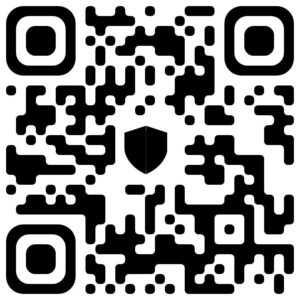
Steps to Pay with BTC:
- Open your crypto wallet.
- Select Bitcoin (BTC) and tap Send.
- Scan our BTC QR code or paste the wallet address.
- Enter the BTC amount to send.
- Confirm and send the payment.
- Share your transaction screenshot or hash with our support so we can verify quickly and start your project.
QR Code:
Steps to Pay with USDT:
- Open your crypto wallet (e.g., Binance, Trust Wallet, OKX, Bybit, etc.).
- Select USDT and tap Send.
- Scan our USDT QR code, or paste the wallet address manually.
- Choose the correct network (TRC20 or ERC20, as agreed).
- Enter the amount of USDT to send.
- Confirm and complete the transaction.
Take a screenshot of your payment and send it to us on WhatsApp or support chat for faster confirmation.
QR Code:
Steps to Pay with ETH:
- Open your crypto wallet.
- Select Ethereum (ETH) and tap Send.
- Scan our ETH QR code or paste the wallet address.
- Enter the ETH amount to send.
- Confirm the gas fees and complete the transaction.
Send your transaction details or receipt to our support team for confirmation
QR Code:
Steps to Pay with USDC:
- Open your crypto wallet.
- Select USDC and tap Send.
- Scan our USDC QR code or paste the wallet address.
- Enter the USDC amount to send.
- Confirm the gas fees and complete the transaction.
Send your transaction details or receipt to our support team for confirmation
QR Code:
Steps to Pay with TRX:
- Open your crypto wallet.
- Select TRON (TRX) and tap Send.
- Scan our TRX QR code or paste the wallet address.
- Enter the TRX amount to send.
- Confirm the gas fees and complete the transaction.
Send your transaction details or receipt to our support team for confirmation